Common mistakes that make screen recordings hard to follow
Cursor chaos, tiny text, long rambling clips, and cluttered screens — fix these recording mistakes before you edit.
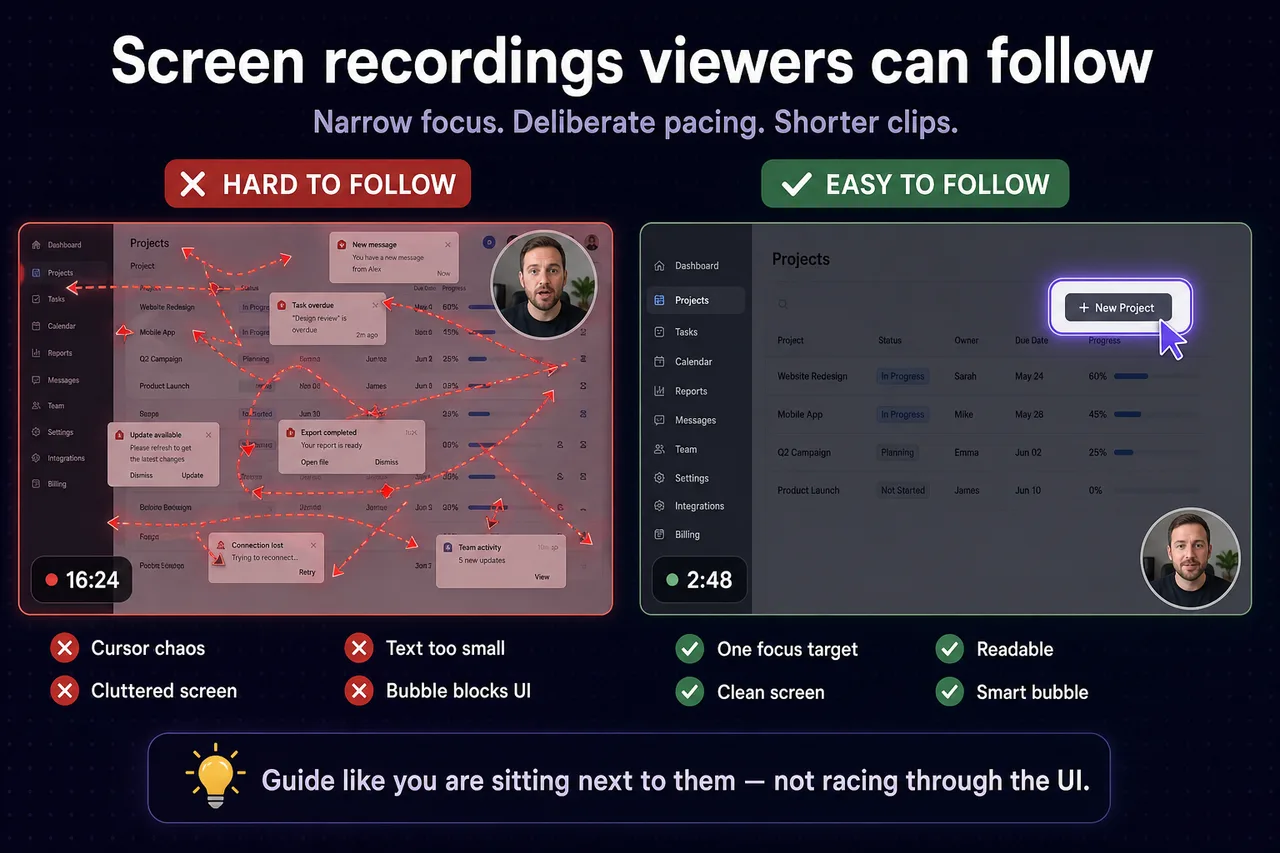
A recording can be technically fine — good resolution, clear audio — and still feel exhausting to watch. These mistakes show up in tutorials, demos, and internal walkthroughs alike.
Moving the cursor too much
Rapid movement trains viewers to chase the pointer instead of understanding the workflow. Move to a control, pause, click, then explain. Treat the cursor like a presenter’s hand, not a screensaver.
Too much happening on screen
Notifications, unrelated browser tabs, and desktop clutter compete with your message. Clean up before you record, or use Screen Only when the UI alone should carry the story.
Text that is too small to read
If viewers squint, they disengage. Zoom important copy during the recording, or reframe the window so labels are legible. Focus Mode can zoom selected text while you talk.
One long recording instead of focused beats
Attention drops after a few minutes of uninterrupted UI. Break work into short segments: setup, action, result. Each clip should answer one question.
Poor framing in camera + screen videos
When you use a camera bubble, place it where it does not hide buttons or menus. A face cam adds warmth; covering the product defeats the purpose. Recording modes help you pick the right layout.
Reading menus aloud without showing them
“Click the thing in the corner” fails on video. Show the control, spotlight it, then click. Visual proof beats verbal guesswork.
Switching windows too quickly
Every jump resets the viewer’s mental map. Pause on the new window for a beat so they know where they landed.
What to do instead
Record as if you are guiding someone live: narrow focus, deliberate pacing, and shorter clips. That is the problem Focus Mode and thoughtful recording setup are built to solve.
Why is my screen recording hard to follow even with good audio?
Cursor chaos, clutter, and tiny text — viewers lose the thread. Slow down before clicks and use Focus Mode on the control you mean.
How do I make small text readable in a screen recording?
Zoom the page, use Focus Mode on the label, or record a tighter window. Avoid full-screen 1080p capture of 10px UI if viewers watch on mobile.
Can Focus Mode help fix a cluttered tutorial recording?
Yes — spotlight one element at a time instead of waving the cursor across the whole screen. Re-record modular clips if the first take was too busy.
Related reading
- How to record better software tutorials without editing
- How creators keep tutorials engaging without heavy editing
- Support — FAQs and troubleshooting for recording modes, Focus Mode, and export.
Was this guide helpful?
One vote per browser. No account required.
Be the first to share feedback.
Comments
Join the discussion — comments are moderated to keep things helpful. Be respectful and constructive.
Preparing sign-in…