How to make async video updates your team actually watches
Shorter clips, clear visual focus, and intentional webcam presence — how remote teams use screen recordings for updates people finish.
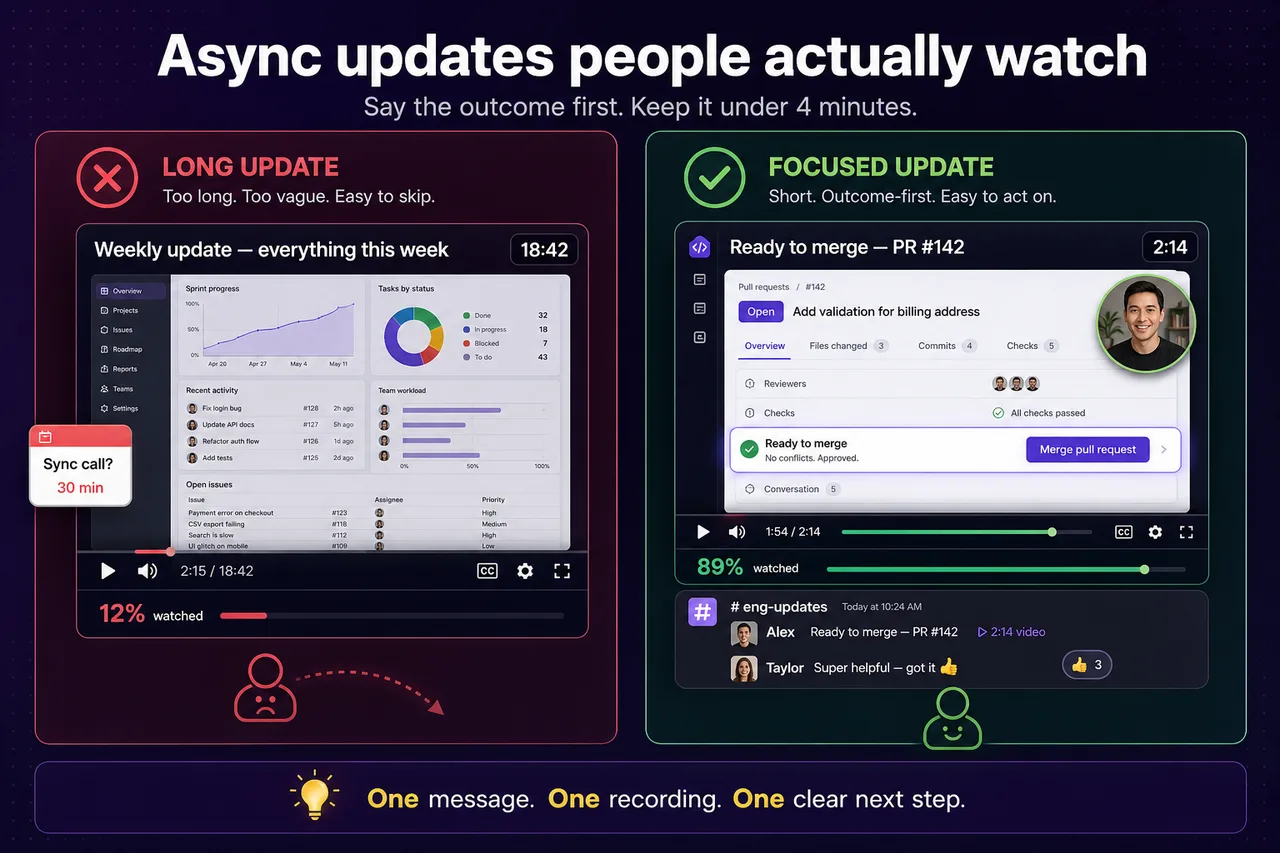
Async video works when it respects how people actually work: limited time, partial attention, and no patience for “watch this 18-minute Loom later.”
The goal of async updates is not replacing meetings with longer recordings. It is helping teammates understand the important context quickly — without scheduling another call. Most async recordings fail because they ask for too much uninterrupted attention. Treat every clip like an attention-management problem: what can someone learn in two minutes between Slack messages?
Keep updates short
Aim for one decision or one piece of context per clip. “Here is what shipped” beats “here is everything I did this week.” Two to four minutes is often enough for internal updates.
Examples of a tight update:
- “The deployment is approved, but mobile still needs QA.”
- “Design is ready for review — link in the ticket.”
- “This flow is blocked by backend changes until Thursday.”
One message, one recording, one clear next step.
Lead with the outcome
Say the conclusion in the first ten seconds: approved, blocked, needs review, ready to merge. Then show the screen evidence. Viewers who only watch the opening still get value.
Use visual focus on the screen
When you walk through a doc, ticket, or dashboard, highlight what changed. Focus Mode helps you spotlight the relevant row, field, or button instead of narrating over a busy UI.
Add webcam presence when it helps
Face and voice make async communication feel more human — especially for sensitive updates or cross-team context. Screen + Camera keeps your screen primary while you stay visible in the bubble. For a quick “hey team” message, Camera Only may be enough.
Clarity over production value
Teams do not need cinematic lighting for a standup substitute. They need to understand the message quickly. A clean recording with clear audio beats a polished intro animation.
Make clips easy to re-record
When something is wrong, you should re-capture in minutes, not reschedule a meeting. Local recording and quick export make re-recording painless when you need a second take.
How long should an async video update be?
Aim for one to three minutes per clip. One outcome per recording — a decision, a demo of one flow, or a single status update — keeps remote teammates watching. Split longer topics into a short series instead of one marathon file.
Should I use Screen + Camera or Camera Only for team updates?
Screen + Camera when you walk through a UI or doc and want a face for context. Camera Only for quick personal updates or when the screen adds nothing. Both export to local MP4 in Showesome.
Do Showesome recordings upload to the cloud automatically?
No — by default clips stay local in Chrome. You choose when to export MP4 or optionally upload to Google Drive, Dropbox, or YouTube from preview. See preview and cloud guide.
Related reading
- Choosing a recording mode for demos vs face-to-camera updates
- Virtual backgrounds when you want a cleaner webcam frame at home
- Screen recording tips for remote teams
Was this guide helpful?
One vote per browser. No account required.
Be the first to share feedback.
Comments
Join the discussion — comments are moderated to keep things helpful. Be respectful and constructive.
Preparing sign-in…