Screen recording tips for remote teams
Async demos, bug reports, and onboarding clips — practical screen recording habits for distributed and remote teams.
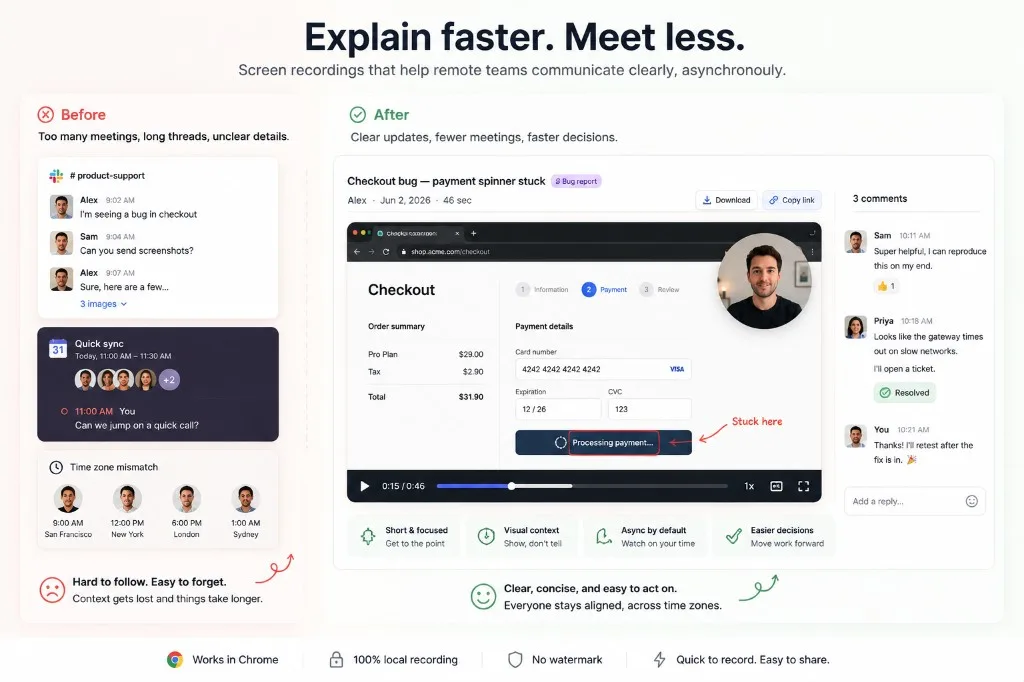
Remote teams run on written messages, calls, and async video. Screen recordings fill the gap when text is too thin and meetings are too heavy — a middle layer between chat and live calls where context is visible but teammates can respond on their own schedule.
Reduce unnecessary meetings
Many updates do not need a 30-minute call. A short screen recording often explains context faster while giving teammates time to respond asynchronously. That is especially true for bug reports, feature demos, and onboarding walkthroughs where showing the UI beats describing it in Slack.
Use the right format for the job
- Bug report — Screen Only. Keeps focus on reproduction steps and UI state.
- Feature demo — Screen + Camera. Adds presenter context without hiding the product.
- Personal update — Camera Only. Faster and more human for quick check-ins.
- Onboarding — modular clips. Easier to revisit one task at a time.
See recording modes for details.
Show bugs instead of describing them
For a full Chrome workflow — Screen Only, export to MP4, and what to put in the ticket — see How to record a screen recording bug report.
Instead of writing “The checkout flow is broken on Safari,” record a 45-second clip that shows:
- Steps to reproduce
- Expected behavior
- What actually happens
- The error state or console output you care about
Remote teams move faster when proof is one click away — not buried in a thread of screenshots.
Keep clips searchable and short
Title messages with the outcome: “Checkout bug — payment spinner stuck.” Link the MP4 or attach it where your team already works. Prefer short clips over one long tour.
Highlight what changed
Do not make viewers hunt pixels. Use Focus Mode to spotlight the field, button, or error state you are discussing.
Respect time zones
Async video shines when someone in another timezone can watch on their schedule. Lead with the decision; show proof second. Async update tips go deeper.
Standardize how you record
Same extension, same export format, same habit of quickly re-recording a segment instead of scheduling another meeting. Friction drops when the tool stays simple and local.
Which Showesome mode should remote teams use for bug reports vs demos?
Screen Only for bug repros; Screen + Camera for demos and onboarding. Keep async clips short so reviewers in other time zones watch the whole file.
Can screen recordings replace meetings for distributed teams?
For status, demos, and bug handoffs — often yes. One focused clip beats a thirty-minute call when the goal is "show the steps."
How do I make async bug reports faster for reviewers?
Three beats: context, repro, expected vs actual. Export MP4 locally and attach to Jira, Linear, or Slack — see bug report guide.
Related reading
Was this guide helpful?
One vote per browser. No account required.
Be the first to share feedback.
Comments
Join the discussion — comments are moderated to keep things helpful. Be respectful and constructive.
Preparing sign-in…